Coming soon · Studio Convert
I lost count of how many times a day I left my work to Google a number. “24px to rem.” “350 EUR in CAD.” “What’s the tax on this in Ontario?” A calculator app was too dumb, a spreadsheet too heavy, and the tab I opened to do one sum always came back with ten more. So I built Studio Convert: a Mac app where you just type the thing you’d have Googled, and the answer appears next to it. It’s almost here, and this post covers what’s coming.
The problem: the answer is never where the work is
Every conversion I needed lived somewhere else, whether that was a search box, a converter site, a currency page or a tax table. The context-switch was the whole cost: by the time I’d found the answer I’d lost the thread of what I was doing. I didn’t want another calculator with more buttons. I wanted the maths to come to the work, in plain language, and stay out of the way.
The key decision: just type it
The core of Studio Convert is a notepad that reads what you write. Type 15% of 490, lunch was $55 + 25% tip, 350 EUR in USD, or 24px in rem, and each line gets its answer instantly on the right, colour-coded by kind: green for money, purple for units. There’s no equals key, syntax or mode to learn. It behaves like a note that quietly does the arithmetic for you.
One engine, many conversions
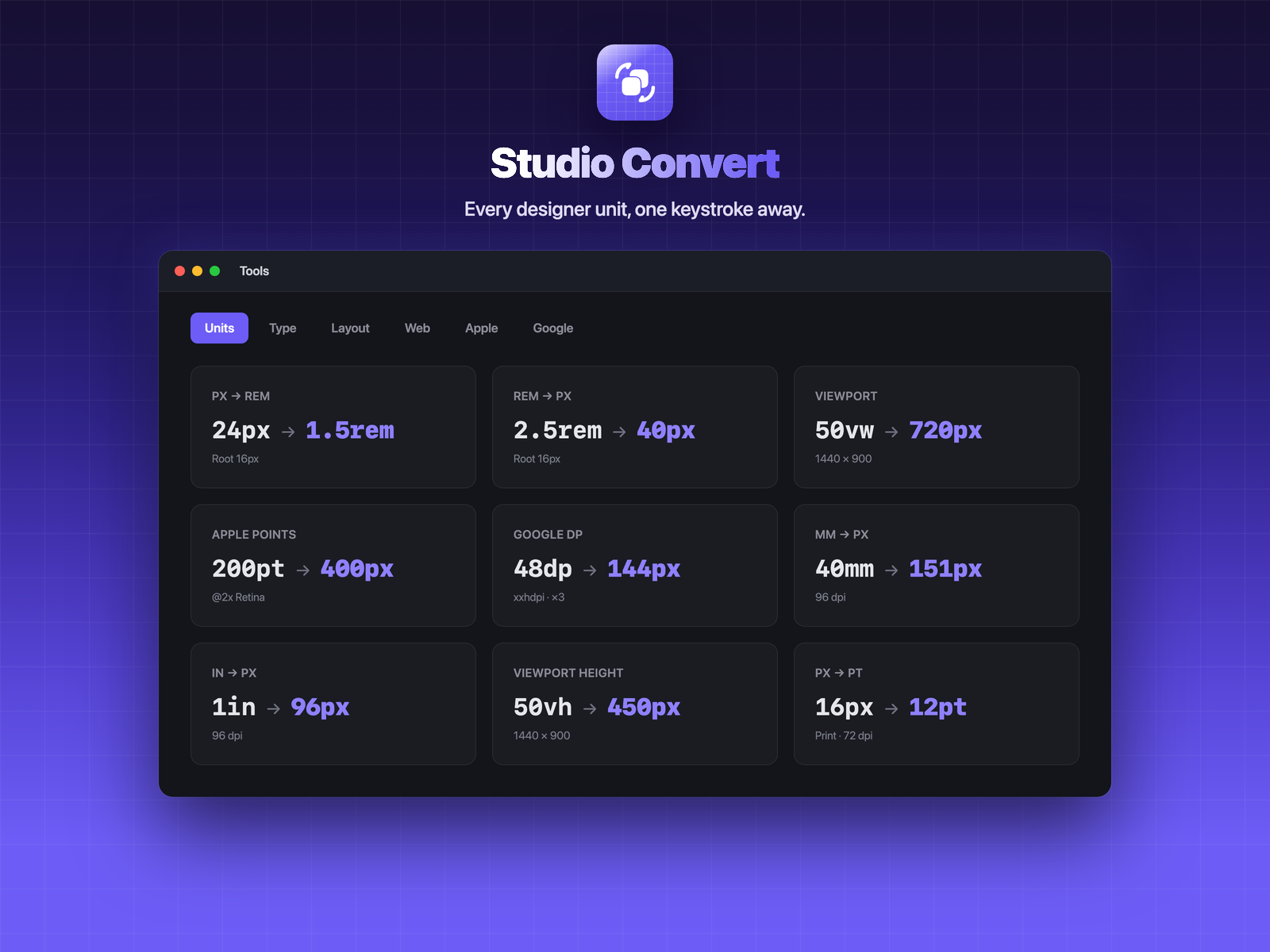
Under the notepad is a natural-language engine that handles the conversions a designer or developer actually reaches for: CSS units (px ↔ rem, em, %, pt, vw/vh), viewport maths, Apple points and Google dp, aspect ratios, data sizes and transfer rates, time and durations, and the everyday physical units: length, weight, temperature, volume, speed, and now pressure, energy and power. The same syntax works from anywhere: press ⌘K or click the menu-bar icon and the answer is on your clipboard before you’ve reached for the mouse.
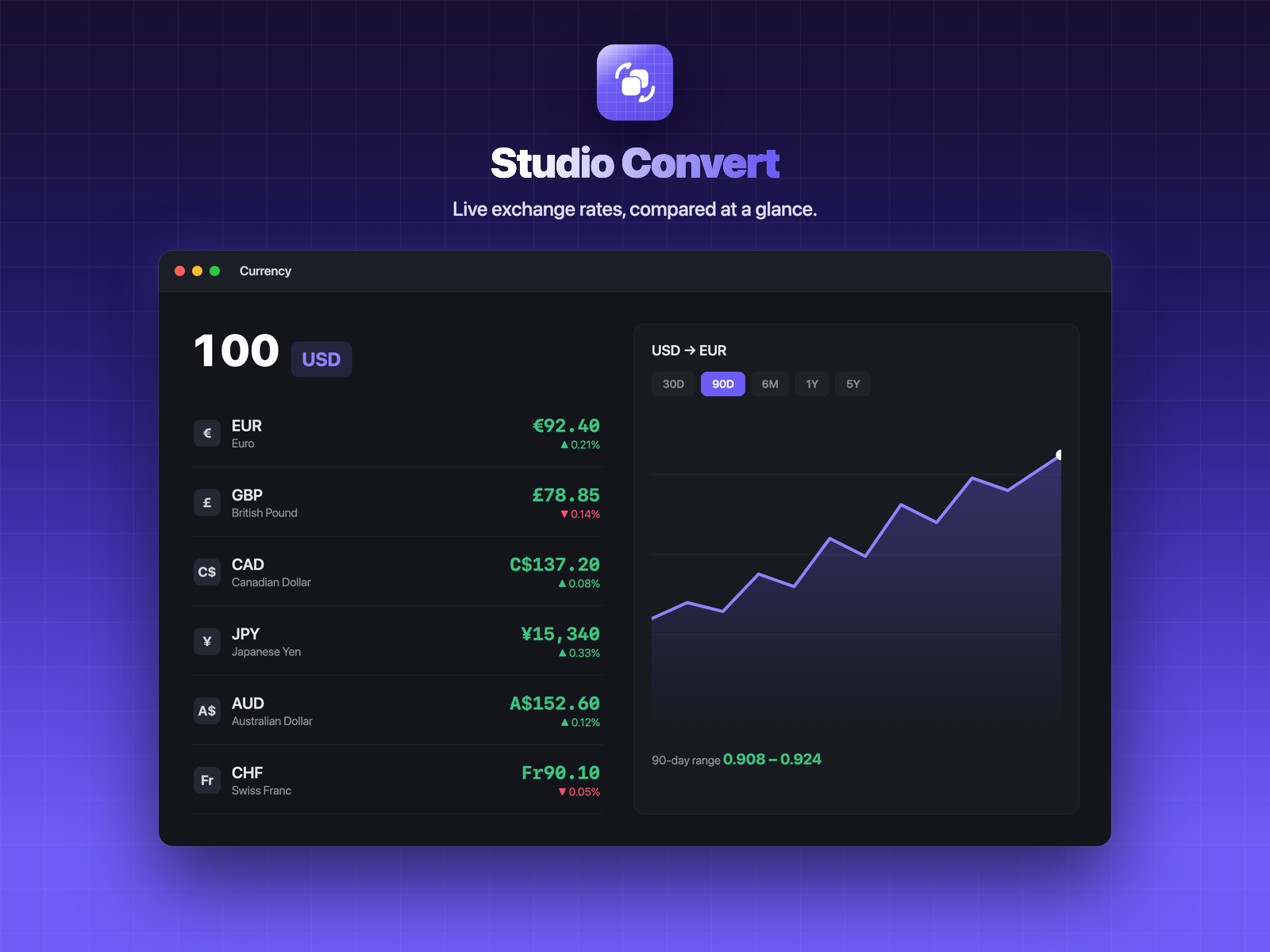
Live currency, compared at a glance
Exchange rates were one of my most-Googled things, so they got their own tab: real rates for every major currency, a multi-currency comparison, and a historical chart from 30 days to five years, cached so it still works offline. Invoice in any currency without leaving the app.
The stuff I kept Googling: tax and interest
Two things I reached for Google for constantly were sales tax and interest. So Studio Convert has a Finance tab: sales tax for every Canadian province, US state, and the major Commonwealth and Latin-American rates, so you can add tax to a price or pull the tax back out of a total. Alongside it, simple and compound interest and a loan / mortgage payment calculator. The maths you always half-remember and re-look-up.
And a tab for photographers
The same idea extends naturally to photo work: a Photo tab with aspect-ratio solving, print size ↔ pixels at a given DPI, megapixels, sensor crop factor and 35mm-equivalent focal length, a time-lapse calculator, and a white-balance Kelvin reference, covering the conversions you’d otherwise keep a browser tab open for.
Native, and it remembers
Because it’s a real Mac app, every result you calculate is saved automatically to a searchable History, so you never have to scroll your chat for “what was that number again?” Pin the ones you reuse as favourites. There’s a full scientific calculator, multiple notepads per project, and export to PDF, Markdown or CSV when the numbers need to leave the app.
Coming soon to the Mac
Studio Convert is the first of the Studio suite to land on the Mac, and it’s almost here. It’ll ship as a subscription app with a 14-day free trial that unlocks everything with no account needed to start, and more of the suite will follow. Want to know the moment it’s live? Join the list and we’ll tell you first.
Stop Googling conversions. Type math, currencies, designer units, tax and interest in plain language and get the answer beside your work in a native Mac app. Studio Convert is almost here.