Announcement · Studio Colour
Say hello to Studio Colour, a colour toolkit that lives in your browser’s side panel, so you can pick, build and check colour on any page without a single tab-switch or overlay covering your canvas. It’s free, it runs entirely on your machine, and it’s built for people who work in colour every day.
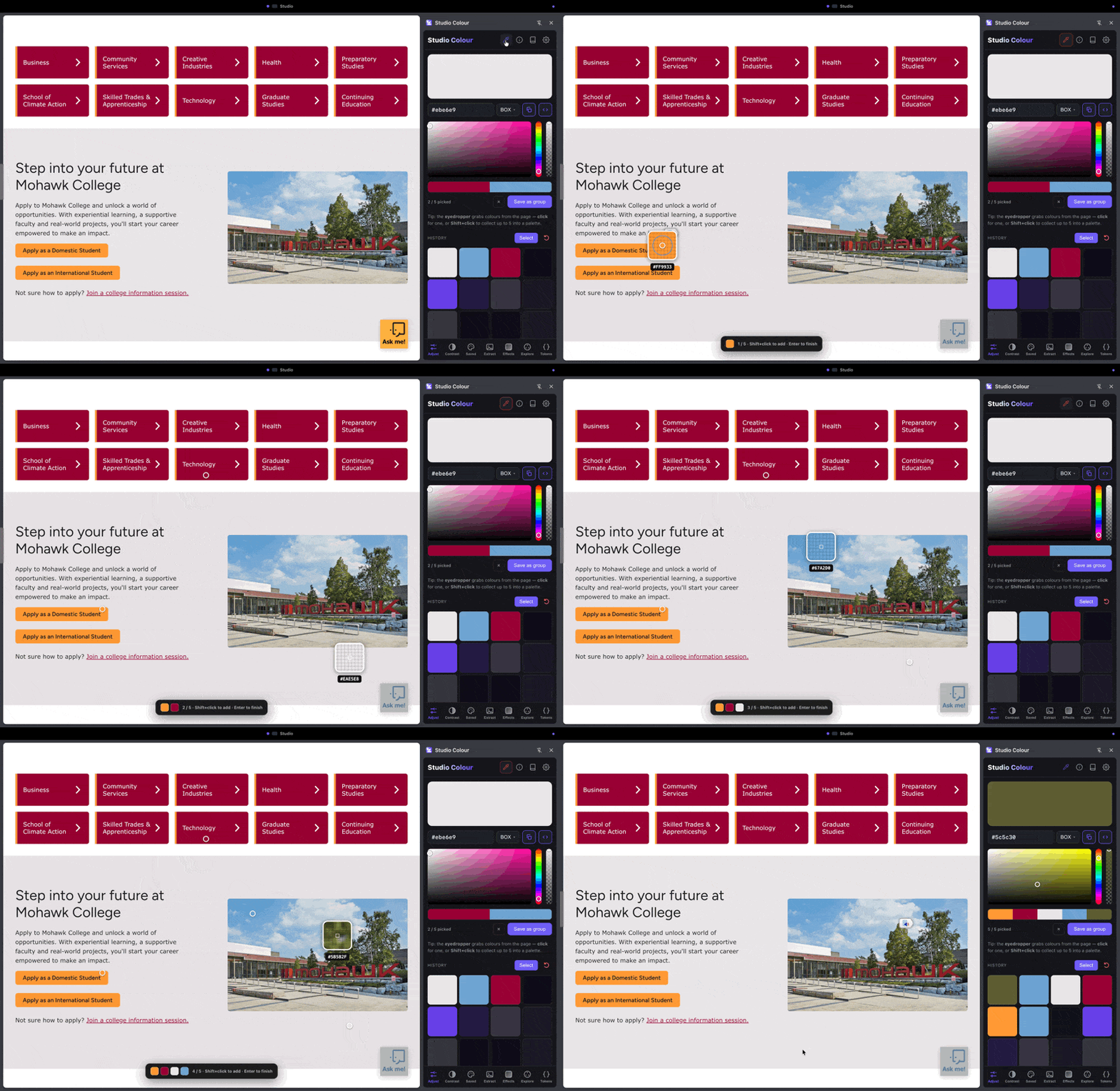
Eyedrop any pixel, even from images and video
Most pickers can only read flat swatches a dev-tools inspector already knows about. Studio Colour samples the rendered pixel, whether that’s a hero photo, a gradient, a frame of video or an embedded logo. If it’s on the page, it’s a swatch. A precision magnifier makes single-pixel picks reliable.
Build palettes, ramps and gradients
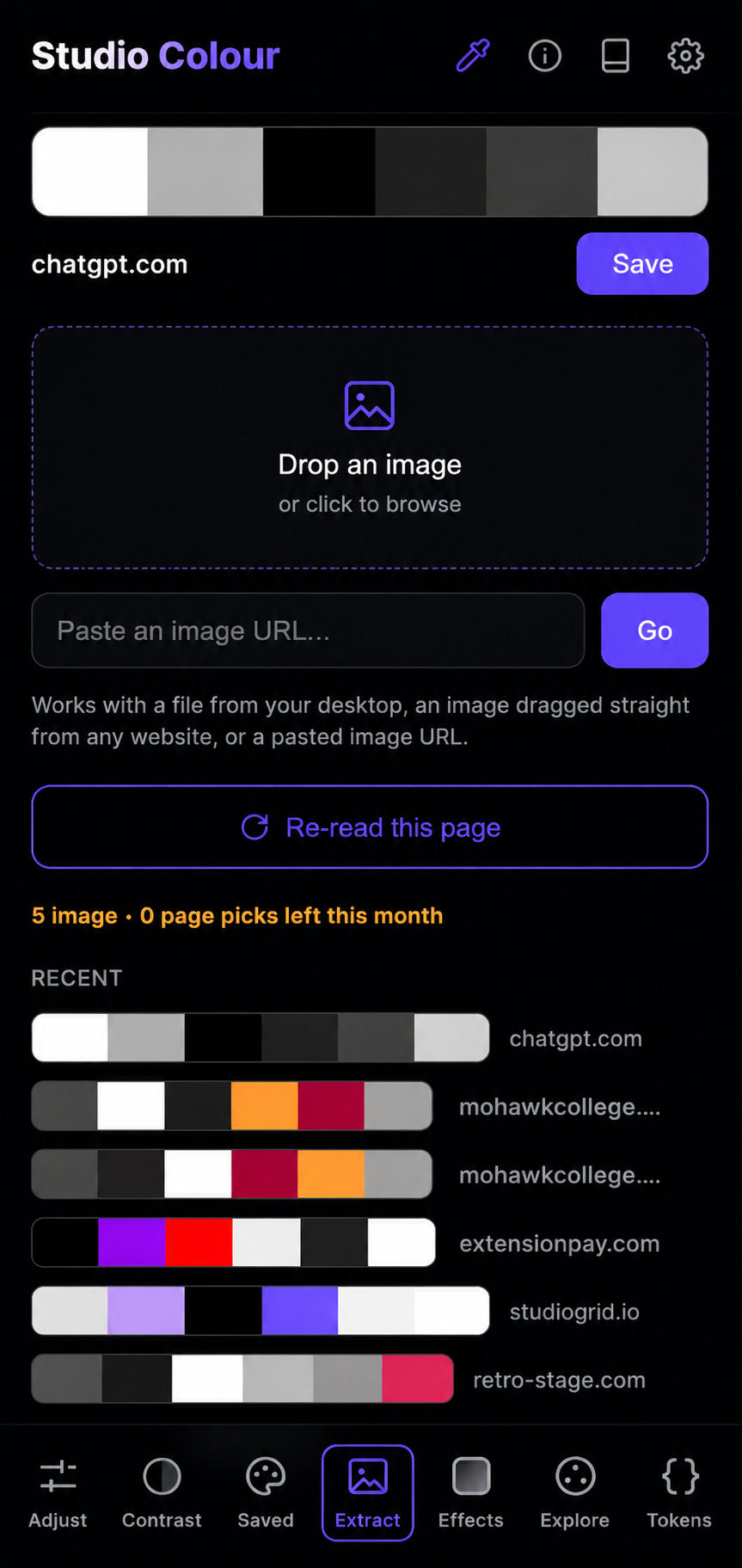
Drop in a base colour and Studio Colour spins up a perceptually even tint-and-shade scale, harmonies from the wheel, and multi-stop gradients you can extract or generate. Save what you like to a colour deck you can drag, group and reuse across projects.
Fix contrast before it fails an audit
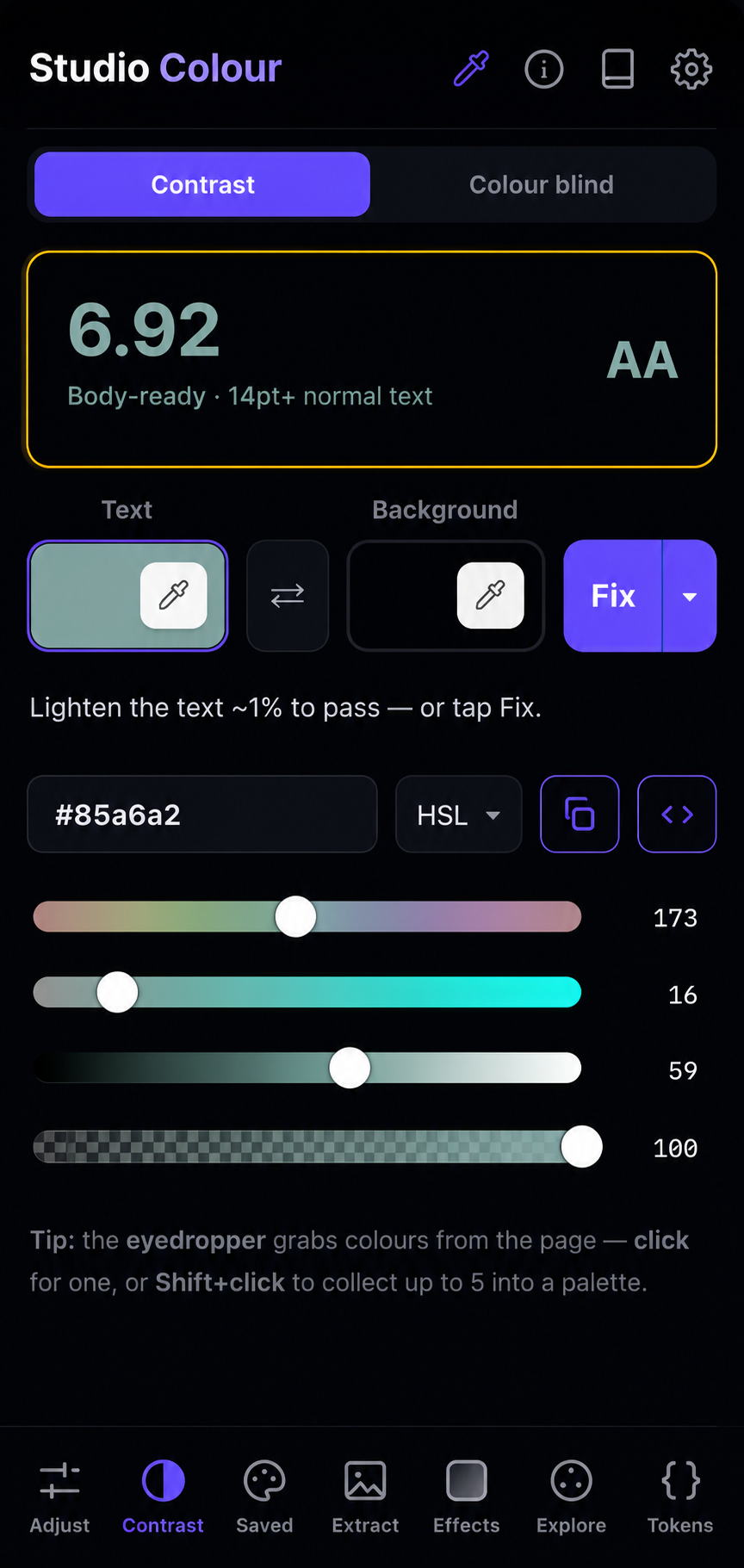
Every pair you check shows the WCAG ratio and the newer APCA score side by side, with a plain pass/fail for the text size in question. Catch the failing combination while you’re designing, not when the accessibility report lands. See how to check colour contrast for WCAG and APCA.
Export straight into your stack
One click turns any palette into the format you actually build with: plain CSS, custom properties, Tailwind config, or design tokens. You can go from swatch to codebase without retyping a hex.
And it syncs with the Mac app
Studio Colour also comes as a native Mac app for print work and system-wide picking, and the two share the same cloud backup, so your palettes follow you between the browser and the desktop. More on that soon.
It’s in review at the Chrome Web Store
Studio Colour is submitted and in review right now while Chrome’s team gives it the standard once-over before it goes public. The moment it clears, the button below turns into a one-click install. It should be ready within days, so this is your heads-up to be first in line.
Studio Colour runs entirely in your browser. It needs no account, has no tracking, and nothing leaves your device. It’s in final review now; add it the moment it’s approved.